Part 23 of 26
Your family page
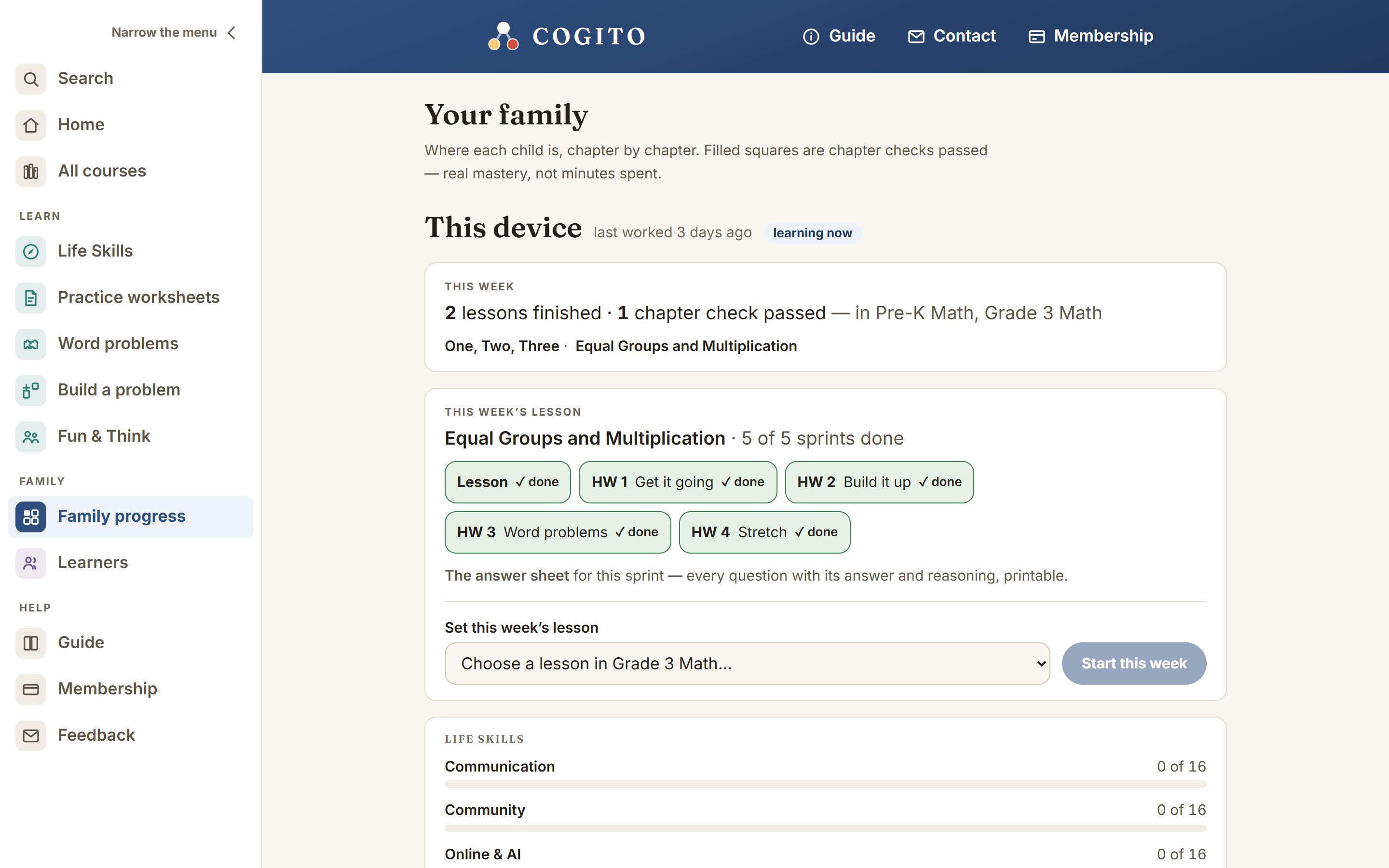
Family progress, under Family in the menu on the left, is where you stand to see the whole household’s learning: where each child is in each course, what happened this week, and anything worth a second look. It is also in the menu under your name in the blue bar.
Next step
The first line under each child is Next step: and the one lesson or chapter to do next, with Open it. It is the part-way lesson if there is one, otherwise the first chapter not yet passed in the course they used most recently.
Reading the squares
The key under the squares says it in short: ✓ passed · ◐ started · □ not started. The difference is in the mark as well as the color, so it reads in black and white too.
- Square with a tick — the chapter’s check has been passed. Only first-try answers count, and an answer given after opening a hint shows as Right, with help and does not count toward passing. So it is knowledge, not attendance.
- Half-filled square — being worked on right now.
- Empty square — not started yet.
Each square is a link: tap it to open that chapter’s first lesson.
When a check did not go well, a yellow strip, Worth a second look, names the exact lessons the missed questions came from — those are the ones to do again before another try. Chapter checks explains the hints and Show all, which lists every question with the right answer after the check.
Which lessons, and where they stopped
The This week box names the lessons your child finished in the last seven days, not just how many. Underneath each course, if they are part-way through a lesson, a line says which one and offers a Carry on button that opens it at the right place.
Your child sees the same offer on their own home page, as a Today panel above the courses.
Where to start
If your child has taken the placement test, a line under their name says Where to start, suggested: with the course and chapter it named, for math and for reading. Tap it to open that chapter. see the answers beside it lists every question from the test, with your child’s answer, the right one and why.
Find where to start, beside This week’s letter, opens the test. After you add a child on Learners, a card there offers it too. Finding where to start explains the test.
Other boxes you may see
These appear only when there is something in them. The notebook and the hints sit together, closed, under Their notebook and their questions to the helper; tap it to open them.
- Life skills — how many lessons your child has finished in each Life Skills topic they have opened.
- Reader’s notebook — from Grade 3, the two things your child noticed in a reading lesson, in their own words. Nobody marks these.
- Hints asked for — which lessons your child asked the helper about this week. What they typed is not kept. If the helper ever answered with its safety message, this box says so.
More than one child
With two to four children the page shows everybody, with a row of names at the top to look at one at a time. With five or more — a whole group rather than a household — it opens as a register: one line per child, showing when they last worked and where they are. Tap a name to open that child in full.
Keeping this page to yourself
Any child using the device can reach this page, and it shows every child’s marks. If that is not what you want, set a four-digit code: sign in, tap your name in the blue bar, and tap Set a code. On the account page, under Grown-ups only, tap Set a code again. This page, the weekly letter and the learners list will then ask for it on that device.
The weekly class
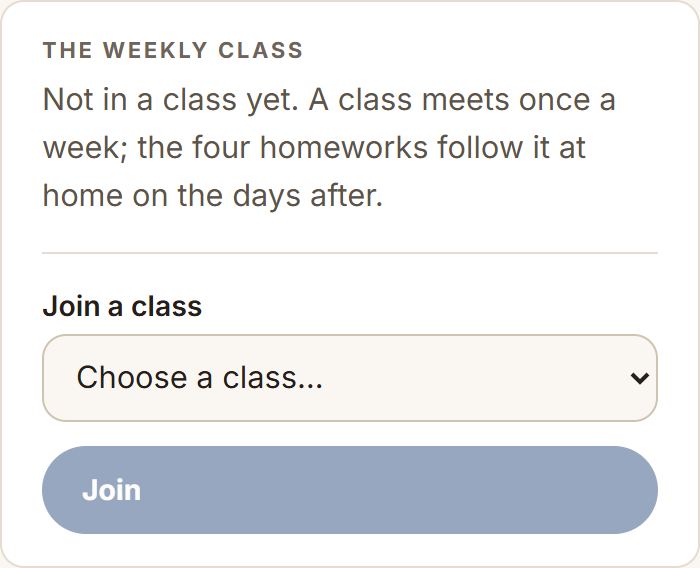
If your child is in a class, it is here: when it next meets, who teaches it, and the button that opens it. The class happens in the teacher’s own meeting room — Cogito holds the link and nothing else, which is why nothing about the class asks anything of your child.
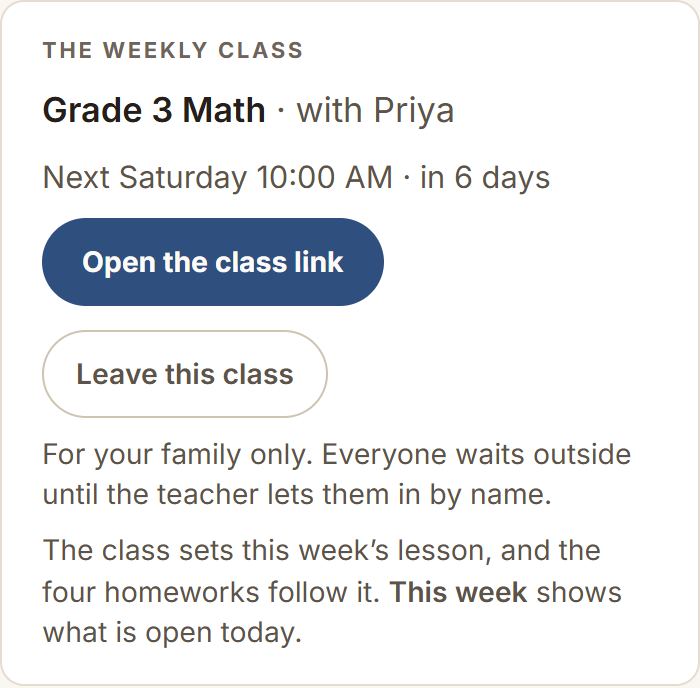
You do not have to set the week when there is a class. The class says which lesson it covered, and from class time that lesson is the week, with the four homeworks following on the days after. This week explains what they are.
Who is in the room
A class is children, so how the door works matters more than convenience. Three things are true of every class, and you should expect all three.
- Nobody walks in. Everyone waits outside until the teacher lets them in by name. Arriving a few minutes early and waiting a moment is normal, and it is the reason it is safe.
- The link is for your family. Please do not forward it, post it in a parents’ group, or share a screenshot of it. Anyone who is not on the register is turned away at the door, so a forwarded link does not get someone in — it only means the teacher spends the first minutes of the lesson refusing strangers.
- Classes are not recorded. There is no recording to store, lose, or share. If that ever changes for a particular class, you will be told before it does, not after.
This week's lesson, and the answer sheet
Under the class is the week itself: which lesson your child is returning to, which of the five slips are done, and — the useful part — worth a second look, the questions that took a few tries.
Beside it is The answer sheet: the same ten questions your child is being asked, each with its answer and the reasoning behind it, in words you can read aloud. It is for the moment they are stuck and you have not taught this in twenty years. It prints.
There is also a Set this week’s lesson control, for a family in no class who wants the week pointed somewhere particular. A class sets it for you.
This week's letter
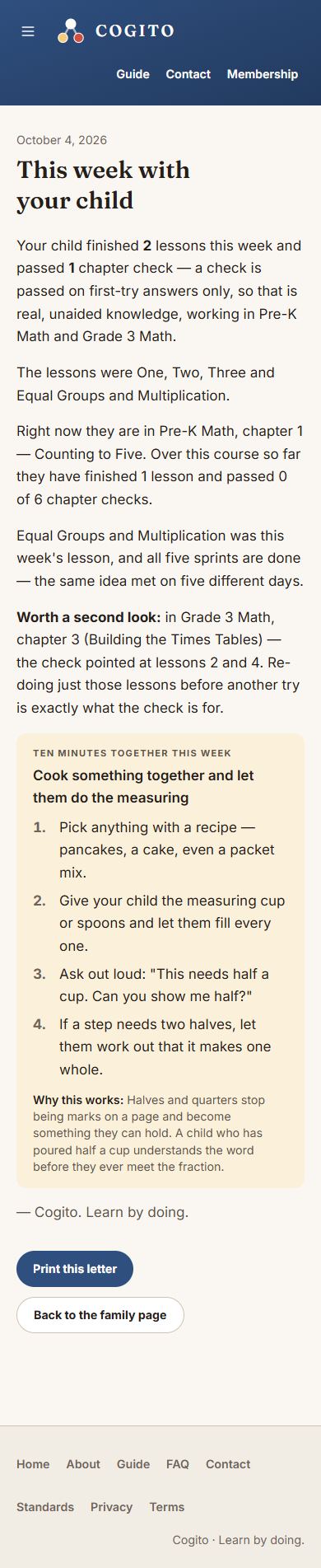
Under each child is This week’s letter: a short note, in plain words, about what they did this week, where they are, and one ten-minute thing to do together at the kitchen table — away from the screen. It prints nicely if you like a paper copy on the fridge.
Seeing it from your own phone
The page reads what is saved on the device it is opened on. If you are signed in, each child’s work is backed up to your account too — so the same page on your own phone shows what they did on the family tablet.